CloudWorks Console
CloudWorks Console is the complete Windows™ application your administrators use to run a CloudWorks system: configuring loggers — over Bluetooth at the device, or remotely — managing users, firmware and communications diagnostics, and viewing all the application data. Its browser counterpart, CloudWorks Online, does almost all of the same, bar the Bluetooth configuration — and for that on site without a laptop there is CloudWorks Configure, the Android app.
The CloudWorks suite. CloudWorks Integration (the server) and CloudWorks Console (the Windows application) are what your administrators use to run the system; both are installed with the CloudWorks Installer. CloudWorks Online is the browser version — your clients use it to see their data, and administrators get almost everything the Console does, bar Bluetooth configuration. CloudWorks Configure is the Android app for Bluetooth set-up at the logger. The older CloudWorks Client and CloudWorks Server are obsolete. Which one do I need?
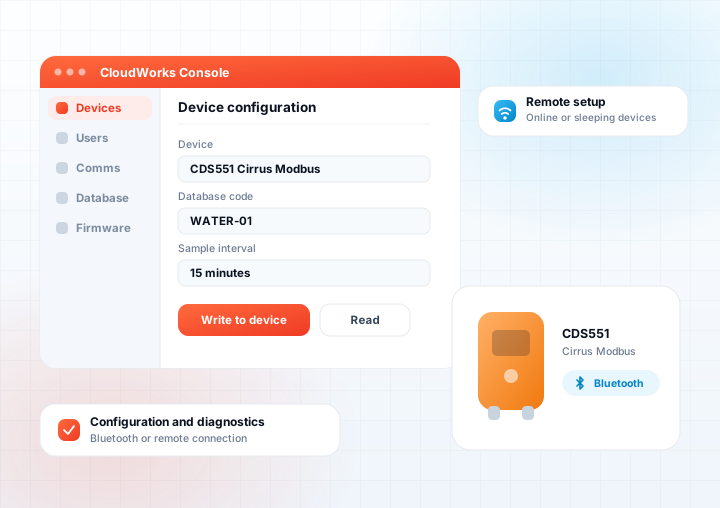
Set up the hardware, manage the platform
The Console handles the setup and management of communications and hardware, including local setup over a Bluetooth connection. It has a comprehensive user access system to prevent unauthorised access to the various elements of the CloudWorks platform.
It can be run by many users concurrently, all having different levels of access depending on their settings.
All the application data — live status, datalog charts and history — is available here as well as in CloudWorks Online, so an administrator can work from the Console at a Windows PC or from a browser anywhere.
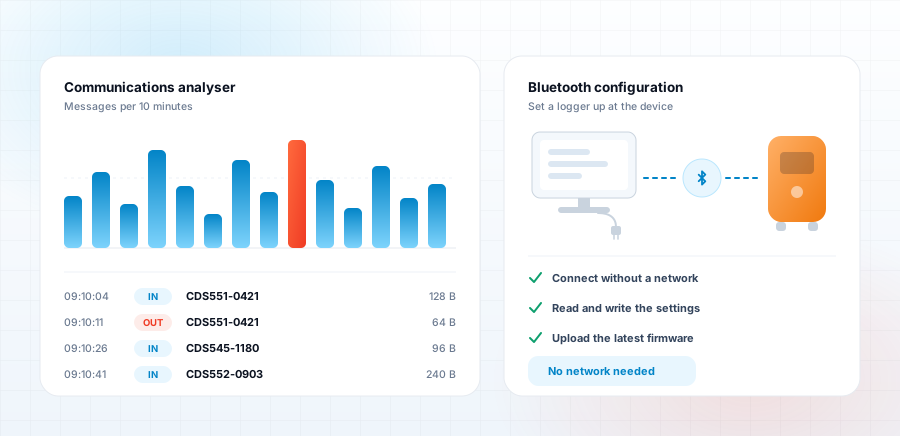
What CloudWorks Console gives you
-
All the application data — live device status, datalog charts and history for every application type.
-
Bluetooth interface module for local hardware setup and diagnostics — not possible from CloudWorks Online. On site without a laptop, CloudWorks Configure does the same from an Android phone.
-
Remote configuration of devices that are online or offline.
-
Latest firmware for all hardware embedded into the software and uploaded through the Bluetooth interface.
-
Multi level user control, including mailing of passwords.
-
Wide range of communications analysis tools.
-
Built in Protocol Explorer for developers, making access to remote devices easier.
-
Direct database access module for maintenance of the database or custom extraction of data.
-
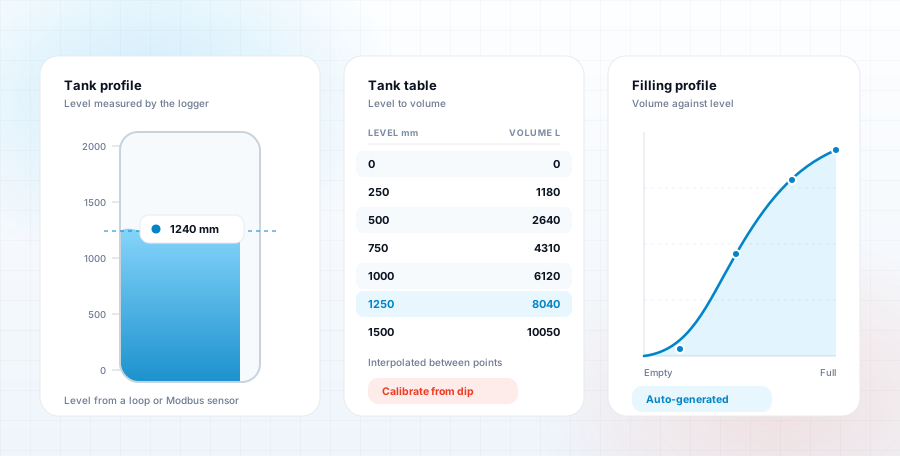
Tank tables, with a generator that calculates the table from eight standard tank shapes.
-
Automatic software updates from our servers each time the software is run.
-
Context sensitive help — the Help icon on every screen opens the user manual at the pages describing that screen.
Level in, volume out
Build a tank table by hand, or let the generator calculate it from one of eight standard tank shapes. Tank tables can also be edited in CloudWorks Online.
What you need to run it
- Windows 11
- Processor - at least 3GHz
- RAM - at least 16Gb
- Bluetooth interface
- Minimum screen resolution 1920x1080
- Microsoft .NET Core - the installer adds the version needed if it is not already available
Install CloudWorks Console
Download the CloudWorks Installer, save it to your desktop and run it. It installs CloudWorks Console and keeps it updated automatically.