
CloudWorks Installation
CloudWorks Console and CloudWorks Integration are installed with a single program: the CloudWorks Installer. Download it, save it to your desktop and run it — it takes care of installing CloudWorks Integration (the server) and CloudWorks Console (for your administrators). Your clients install nothing — they use CloudWorks Online in a browser. Technicians can also put CloudWorks Configure on an Android phone for Bluetooth set-up at the logger. Once installed, available updates are retrieved from our servers automatically each time the software is run.
Get the CloudWorks Installer
One installer, both applications. Choose what you want to install when the program runs — CloudWorks Console on an administrator's PC, CloudWorks Integration on a static IP Windows server, or both on the same machine for a self-contained system.
Windows™ · free of charge · installs Console and Integration
Migrating from CloudWorks Server? If you are moving an existing system across, restart your CloudWorks Server software first and let it update itself to the latest version. That migrates your database settings, ready for CloudWorks Integration to use. Then install and run CloudWorks Integration as below.
How to install
Download the installer
Click the download button above, or go straight to cloudworks.systems/software/cloudworks installer.exe. Your browser may ask you to confirm the download of an executable file.
Save it on your desktop
Save cloudworks installer.exe to your desktop rather than running it straight from the browser. Keeping it on the desktop makes it easy to find again if you need to add the other application later or re-run the installation.
Run it to install the software
Double-click the file on your desktop and follow the prompts to install the relevant software — CloudWorks Console, CloudWorks Integration, or both. Microsoft .NET Core will be added automatically if it is not already present.
Two applications, one installer
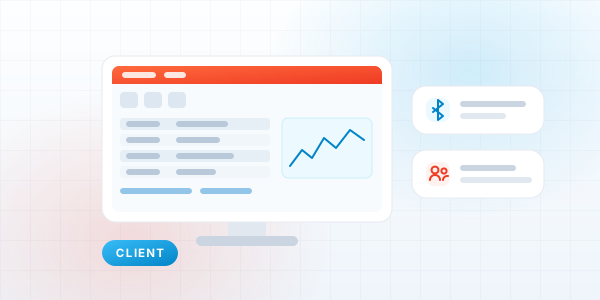
CloudWorks Console
Runs on your administrators' PCs. The complete application: configure loggers over Bluetooth or remotely, manage users, upload firmware, analyse communications and view all the data.
System requirements
- Windows 11
- Processor - at least 3GHz
- RAM - at least 16Gb
- Minimum screen resolution 1920x1080
- Bluetooth interface
- Microsoft .NET Core - installed if not available
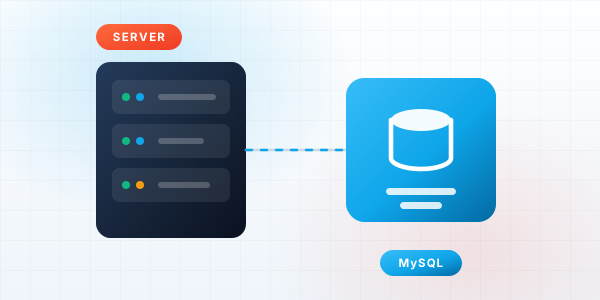
CloudWorks Integration
Runs on a static IP Windows server. Handles all device communications, time synchronisation and writing collected data into your MySQL databases.
System requirements
- Windows Server 2016 or higher
- Processor - at least 3GHz
- RAM - at least 16Gb
- A static IP address, exposed to the internet
- Installed version of MySQL Database Manager
- An outgoing SMTP server it can connect to, for sending email
- Ports open: UDP 13000 (loggers), TCP 18500 (API HTTP), TCP 18501 (API HTTPS) and, optionally, TCP 3306 (direct MySQL). CloudWorks Integration sets the Windows firewall rules itself.
- Microsoft .NET Core - installed if not available
CloudWorks Online needs no installer
Your clients sign in from a browser and see their own dataloggers — nothing to install on their side — and administrators can use it too, for almost everything the Console does. An administrator points it at the server once: open the hosted portal and enter the server details, or download the zip and unpack it into a web server of your own — static files only, with no database or runtime to set up.
To self-host CloudWorks Online
- Any web server that serves static files (IIS, nginx, Apache)
- No database, runtime or server-side code needed
- Unpack cloudworks_online.zip into the web root
- Users enter the server host, HTTPS port and API key on first run
- HTTPS strongly recommended, as an API key is entered by the user
CloudWorks Configure on an Android phone
An install file (APK) downloaded from this site, not the Play Store. Do it on the phone in Chrome: tap the download, open the file, allow installs from Chrome when Android asks, and tap Install. The app then updates itself from this site.
- Android 8.0 or later, with Classic Bluetooth
- Current release v0.7.1 · CloudWorksConfigure-0.7.1.apk
- Internet only to install, update and fetch firmware
Set a logger up from your phone
CloudWorks Configure connects to the logger over Bluetooth and covers the Console's engineering screens — setup, sensor tests, factory defaults, Bluetooth security and firmware upgrades. The step-by-step install guide is on its own page.
Server networking. On a cloud server, those ports also need endpoints assigned in your provider's console. If the server sits behind a router, set up port forwarding for the same ports.
Outgoing email. CloudWorks Integration sends mail through an outgoing SMTP server. Many providers block relaying from unrecognised hosts, so the server's IP address may need to be whitelisted on that SMTP server before mail is delivered. See CloudWorks Integration for the full requirements.
Legacy software
CloudWorks Client and CloudWorks Server have been replaced by CloudWorks Console and CloudWorks Integration. The legacy installers are kept online for existing systems only and are no longer developed. New installations should always use the CloudWorks Installer above.
Installation FAQ
What is the CloudWorks Installer?
The CloudWorks Installer is a single Windows program that installs the current CloudWorks software. Run it on your server to install CloudWorks Integration, or on an administrator's PC to install CloudWorks Console. Your clients need nothing installed - they use CloudWorks Online in a browser.
Where do I download the CloudWorks Installer?
Download it from cloudworks.systems/software/cloudworks installer.exe, save it to your desktop and run it.
I am migrating from CloudWorks Server - what should I do first?
Restart your existing CloudWorks Server software and let it update to the latest version before you install and run CloudWorks Integration. That migrates your database settings, ready for CloudWorks Integration to use.
What happened to CloudWorks Client and CloudWorks Server?
Both are obsolete. CloudWorks Client has been replaced by CloudWorks Console and CloudWorks Server has been replaced by CloudWorks Integration. The legacy installers remain available for existing systems only.
How do I install CloudWorks Configure on my phone?
Open cloudworks.systems/configure_software.html in Chrome on the Android phone and tap Download the app. Open the downloaded file, allow installs from Chrome when Android asks, and tap Install. The full walk-through is on the CloudWorks Configure page.
Does the software update itself?
Yes. Once installed, available updates are automatically retrieved from our servers each time the software is run. CloudWorks Configure checks this website each time it starts and offers the new version on the phone.
Is the CloudWorks software free?
Yes. All CloudWorks platform software, including updates and improvements, is supplied free of charge with the hardware.
Need a hand with the installation?
Our support team can walk you through the server setup, firewall rules and database configuration over TeamViewer or AnyDesk.